
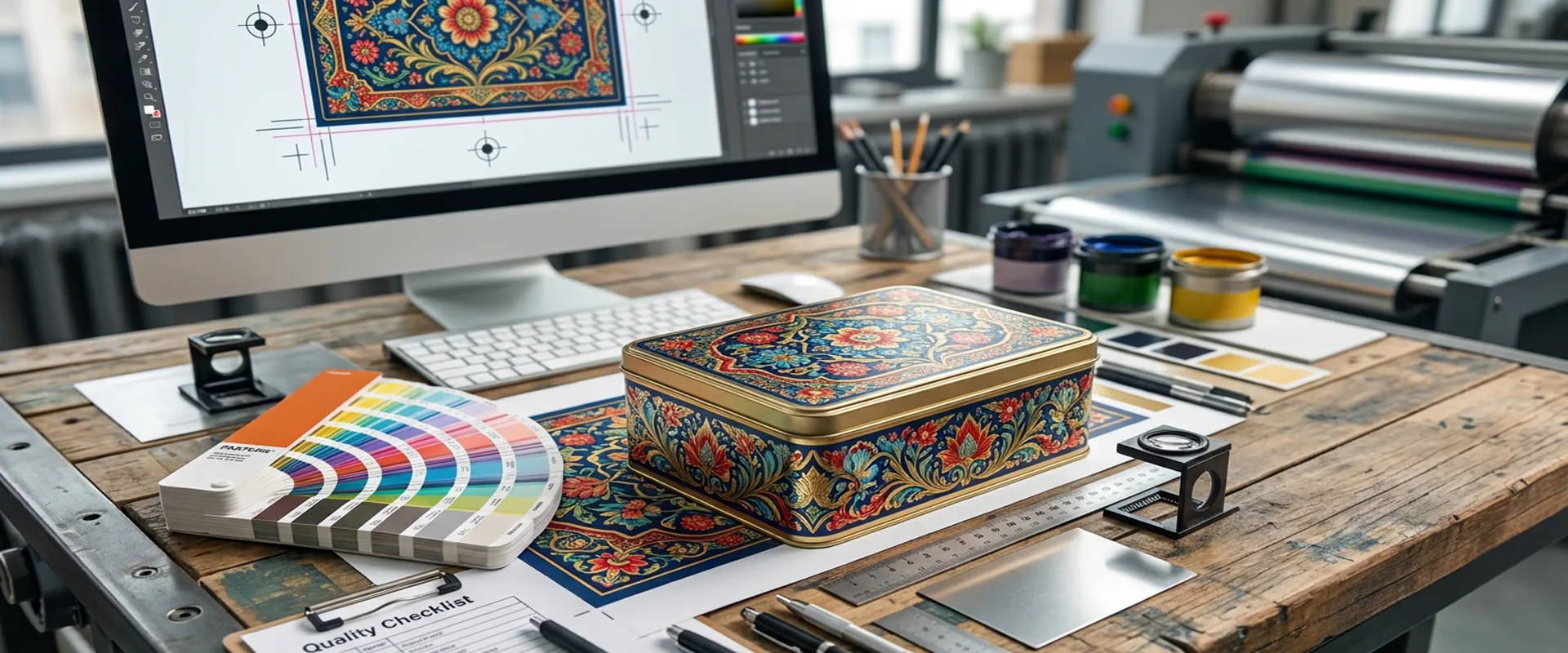
Preparing artwork for custom tin box printing requires more than supplying a high-resolution image or a finished graphic design. Tinplate packaging goes through printing, coating, cutting, forming, and assembly. Each operation can affect the appearance and position of the artwork, particularly around curled edges, seams, corners, and deep-drawn surfaces.
For brand managers and packaging designers, these production details matter before artwork approval. Incorrect dieline dimensions, missing white-ink separations, unsuitable coating specifications, or graphics placed in forming-sensitive areas can lead to proofing delays and expensive revisions. A file that looks correct on a computer screen may not reproduce as expected on the finished metal package.
This guide explains how to prepare artwork for custom tin boxes, including dieline setup, image resolution, CMYK and Pantone colors, white ink, protective coatings, and artwork adjustments for different tin structures.
Table of Contents
Start with the Manufacturer-Approved Dieline
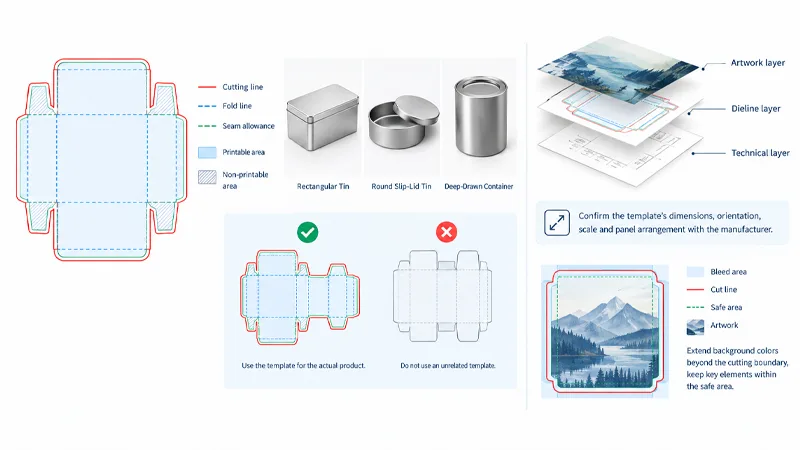
The dieline defines the flat layout used to produce the tin box. It identifies the printable panels, cutting boundaries, fold lines, seam allowances, and areas that will change during forming or assembly. Artwork must follow this layout because the printed sheet will later be converted into a three-dimensional package.
A rectangular tin, a round slip-lid tin, and a deep-drawn container do not share the same dieline. Even when two products have similar external dimensions, their panel arrangements and forming requirements may differ. Designers should therefore use the template supplied for the actual product rather than adapting an unrelated packaging file.
Never scale or stretch the dieline to make the artwork fit. Changing its proportions can alter panel dimensions and move graphics away from their intended positions. If the artwork needs a different layout, ask the tin box manufacturer to review the structure and provide an updated template.
Keep the dieline on a separate, clearly named layer. Cutting lines and technical annotations should remain distinguishable from the printable artwork so they are not accidentally included in the production file. Before proceeding, confirm the template’s dimensions, orientation, scale, and panel arrangement with the manufacturer.
Bleed and safe areas should also follow the supplied specifications. Background colors may need to extend beyond the cutting boundary to prevent narrow unprinted edges, while logos, small text, and other critical elements should remain within the approved safe area.
Allow for Curl Edges, Seams, and Assembly
A flat dieline does not show the complete appearance of the finished tin. During production, tinplate may be curled, folded, overlapped, or joined to create the body and lid. These operations affect where printed graphics remain visible and how the coating behaves.
Curl edges and beading change the shape of the metal around the perimeter. Lock seams, welded seams, and overlapping joints create additional restrictions. Heavy ink coverage in these areas may increase the risk of coating damage or cracking during forming, depending on the ink system, coating flexibility, and degree of deformation. Graphics that cross a joint may also become misaligned or partially hidden after assembly.
For this reason, critical text, barcodes, fine borders, and logos should not be placed directly across seams or curled edges unless the manufacturer has reviewed the layout. The same applies to artwork close to a lid overlap. A logo that appears centered on a flat body panel may look offset once the lid is fitted.
The manufacturer’s dieline should identify restricted areas where possible. If seam allowances or no-print zones are unclear, resolve them before completing the artwork rather than trying to correct the layout after proofing.
Prepare Print-Ready Artwork Files
Adobe Illustrator artwork and print-ready PDF files are commonly used for custom tin box printing because they can preserve vector graphics, typography, and color information. The correct format depends on the manufacturer’s prepress workflow, so confirm its requirements before exporting the final file.
Logos, icons, line art, and text are generally best kept as vector elements. Vector graphics retain clean edges when resized, whereas raster images can become pixelated if enlarged beyond their effective resolution. Fine lines and small lettering should be reviewed at the actual output size, not only when zoomed in on a high-resolution display.
For photographic images, 300 DPI at 100% placement scale is a useful starting point for many print applications. The required resolution can vary with the printing process and image characteristics, so the manufacturer’s specification takes precedence. An image that starts at a low resolution may lose detail when enlarged, even if it appears acceptable in the design software.
Fonts and linked files also need attention. If the production workflow requires outlined fonts, create a separate production copy with text converted to outlines or expanded as requested. Retain an editable master with live text so future corrections do not require rebuilding the design. Linked images should be embedded or packaged, and obsolete objects or hidden artwork should be removed before submission.
A print-ready file should communicate the intended result clearly. If the manufacturer must guess which elements are printable, which layers are technical, or which assets are missing, the file is not ready for production.
Manage CMYK, Pantone, and White Ink
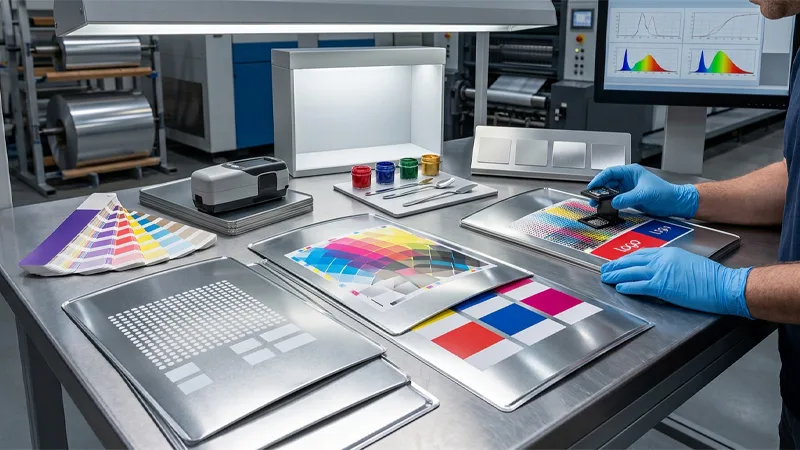
Color reproduction on tinplate differs from printing on white paper. Metal reflects light, and its appearance influences how printed colors are perceived. The result also depends on the white ink base, ink system, protective coating, and viewing conditions.
CMYK process printing is suitable for many photographs and multicolor designs. Pantone spot colors can help communicate brand-color requirements, particularly for logos and solid-color areas. However, specifying a Pantone reference does not guarantee an exact match on the finished tin. The printed result still needs to be evaluated in the context of the substrate and coating system.
For color-critical projects, identify the required color references early and agree on an appropriate proofing method with the manufacturer. A physical sample produced with a representative print and coating process can provide a more useful comparison than a monitor alone.
White ink and the exposed-metal effect
White ink is often printed beneath colored artwork to create a more opaque base. Without this layer, the metal substrate may influence the appearance of the colors, making them look darker, less saturated, or more metallic than intended. Designers can also deliberately leave selected areas without white ink to use the natural metallic appearance as part of the design.
The white-ink separation must be clearly identified in the artwork. Where the prepress workflow supports spot-color separations, the designer may need to create a dedicated spot-white swatch or layer using the manufacturer’s required name, such as Spot_White. The exact naming convention is not universal, so it should be confirmed before file delivery.
Overprint settings must also follow the manufacturer’s instructions. An incorrectly configured white separation may not output as intended, even if the layer appears correct in the design software. Check the separations preview or prepress proof to verify that the white plate is present and covers the intended areas.
The artwork should clearly distinguish opaque white-base areas from regions where the metal is meant to remain visible. This distinction is particularly important for logos, fine white details, metallic effects, and solid brand-color panels. Confirm the spot-color name, white coverage, and overprint behavior with the prepress team rather than assuming that a layer named “White” will be interpreted correctly.
Check Coatings and Varnishes Before Finalizing Color
The coating applied over printed tinplate influences both appearance and surface performance. Gloss coatings can increase shine and change the perceived contrast of colors, while matte coatings reduce reflections and create a different visual effect. Other specified finishes, including metallic-effect coatings, may also change the way a design appears under different lighting conditions.
A color approved on an uncoated proof may therefore look different after the final coating is applied. If color consistency is important, the proofing process should represent the intended coating as closely as practical.
Coating selection also matters during forming. Printed tinplate may be bent, curled, stamped, or deep-drawn after printing and coating. The coating system needs to withstand the deformation required by the package design. If the finish is unsuitable for the forming conditions, or if ink coverage is concentrated in a high-strain area, the surface may develop cracks, scuffs, or other visible damage.
The artwork designer does not need to select a coating formulation independently, but the intended appearance and use should be documented. The manufacturer can then assess whether the proposed finish is compatible with the structure and production process. For food-related packaging, the applicable coating and food-contact requirements should also be confirmed for the intended application.
Adapt Artwork to Different Tin Structures
Artwork requirements change with the shape of the package. Rectangular tins provide broad panels, but corner radii, seams, and folded edges can affect the printable area. Round tins require attention to circular alignment, lid overlap, and the position of graphics relative to the center. Patterns with concentric rings or radial elements can make small alignment differences particularly noticeable.
Deep-drawn tins present a different challenge. During deep drawing, the metal is formed into a three-dimensional shape, and parts of the surface may stretch or change position. As a result, graphics on the flat sheet may not retain exactly the same proportions after forming.
When deep-drawn tins need pre-distortion
Pre-distortion is an intentional adjustment to flat artwork that compensates for expected changes during forming. It may be necessary when a design contains recognizable shapes, fine patterns, logos, or text on a surface that experiences substantial deformation.
Pre-distortion is not simply a matter of stretching the artwork until it looks right. The required adjustment depends on the geometry of the tin, the drawing depth, the material, and the forming process. Applying an unverified correction can create additional distortion instead of solving the problem.
Discuss complex artwork with the manufacturer before finalizing the production file. Depending on the design, the solution may involve pre-distortion, moving critical graphics away from high-deformation areas, changing the graphic layout, or evaluating a forming trial. A physical sample is particularly useful when the final visual result cannot be predicted confidently from the flat dieline.
Review the Proof and Approve the Correct Version
A digital proof is useful for checking spelling, graphic placement, color references, and general layout. It cannot fully reproduce the reflective surface of tinplate, the effect of the final coating, or the changes introduced by forming and assembly.
During proof review, check the artwork against the approved dieline and confirm that the white-ink separation, exposed-metal areas, and restricted structural zones are correctly represented. Verify that the lid and body graphics align as intended and that no critical information is too close to a seam or curled edge.
For projects with strict brand-color requirements or complex formed surfaces, a physical sample may be necessary before mass production. It allows the team to evaluate the printed appearance on metal and inspect the assembled package. This can reveal issues that a flat proof will not show, such as distortion on a deep-drawn surface, lid alignment, or coating damage near a formed edge.
Once the proof has been approved, record the exact file revision and approval date. If the dimensions, structure, colors, text, or coating requirements change later, determine whether a new proof or sample is needed. Clear revision control helps prevent the design team and production team from using different versions of the artwork.
Common Artwork Errors That Cause Production Delays
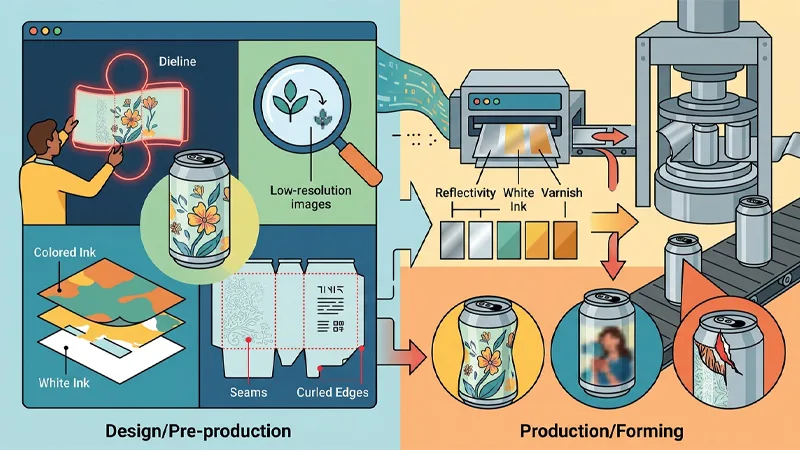
Many artwork problems begin with assumptions made before the file reaches prepress. Stretching a dieline can change the relationship between the design and the finished structure. Low-resolution images may lose detail at their final size. Missing or incorrectly configured white-ink separations can change the appearance of colored areas, while unsuitable graphics near seams or curled edges may become distorted or damaged during forming.
Another frequent problem is treating the screen proof as a guarantee of the finished color. Tinplate reflectivity, white ink, and varnish can all affect the result. Similarly, applying pre-distortion without production input may introduce new errors because the required compensation depends on the actual forming geometry.
These issues are easier to resolve before production than after printing or forming has begun. A review of the dieline, separations, coating requirements, and final package structure can identify many of them before the artwork is released.
Pre-Flight Checklist for Custom Tin Box Printing
Before submitting the final artwork, confirm that the dieline matches the approved structure and has not been scaled or stretched. Check that bleed, safe areas, seams, and curled edges have been accounted for, and that critical graphics remain within the permitted print area.
Verify that vector artwork, linked images, and fonts meet the manufacturer’s file requirements. Raster images should have sufficient effective resolution at their final placement size. CMYK and Pantone requirements should be documented, while white-ink separations must follow the prepress team’s naming and overprint specifications.
Finally, confirm the coating and surface-finish requirements, review whether deep-drawn graphics need pre-distortion, and approve the correct proof or physical sample where necessary. Record the approved file revision before the project moves into production.
Conclusion
Preparing artwork for custom tin box printing requires coordination between graphic design and metal packaging production. The dieline defines the available print area, white ink and coatings influence color appearance, and seams, curled edges, and forming operations affect how the artwork looks on the finished package.
The most reliable approach is to confirm production requirements before finalizing the file. Use the manufacturer’s dieline, document color and white-ink specifications, review forming-sensitive areas, and evaluate a representative sample when the design requires it. These steps help reduce avoidable proofing revisions and identify artwork problems before mass production.
For a custom tin box project, provide the manufacturer with the artwork, intended dimensions, package structure, finish requirements, and color references. This gives the prepress and production teams the information they need to review the file and resolve technical questions before production approval.
FAQ
What file format should I use for custom tin box printing?
Adobe Illustrator files and print-ready PDFs are commonly used for vector-based packaging artwork. Confirm the manufacturer’s requirements for fonts, linked images, color settings, and spot-color separations before submitting the production file.
Should fonts be outlined before I send the artwork?
Follow the manufacturer’s prepress instructions. When outlined fonts are required, supply a production copy with the fonts converted to outlines and retain an editable master containing live text.
What image resolution is required for tin box printing?
A resolution of 300 DPI at 100% placement scale is a useful starting point for many raster images. The appropriate requirement depends on the printing process and the image itself, so confirm the specification with the manufacturer.
Why does the printed color look different on tinplate?
The metal substrate reflects light, and the result can be affected by white ink coverage, the printing process, and the protective coating. Color-critical designs should be reviewed using an appropriate proof or physical sample.
Does a deep-drawn tin require pre-distorted artwork?
Not every design requires pre-distortion. The need depends on the shape, drawing depth, material behavior, and forming process. The manufacturer should review the artwork and determine whether adjustment or a forming trial is appropriate.
Can I change the artwork after proof approval?
Yes, but changes to dimensions, text, colors, structure, or coating requirements may require another proof or sample. Identify the revised file clearly and obtain approval before production continues.